Skip to content
ATPShop

ONLINE BOOKING

Your next visit starts before the phone rings.

Give customers a booking link—or embed the booking experience on your website. They tell you about the vehicle and the problem, choose an available time and send a request for your approval.

Try ATP Shop free

One month free · No card required · Your own workspace

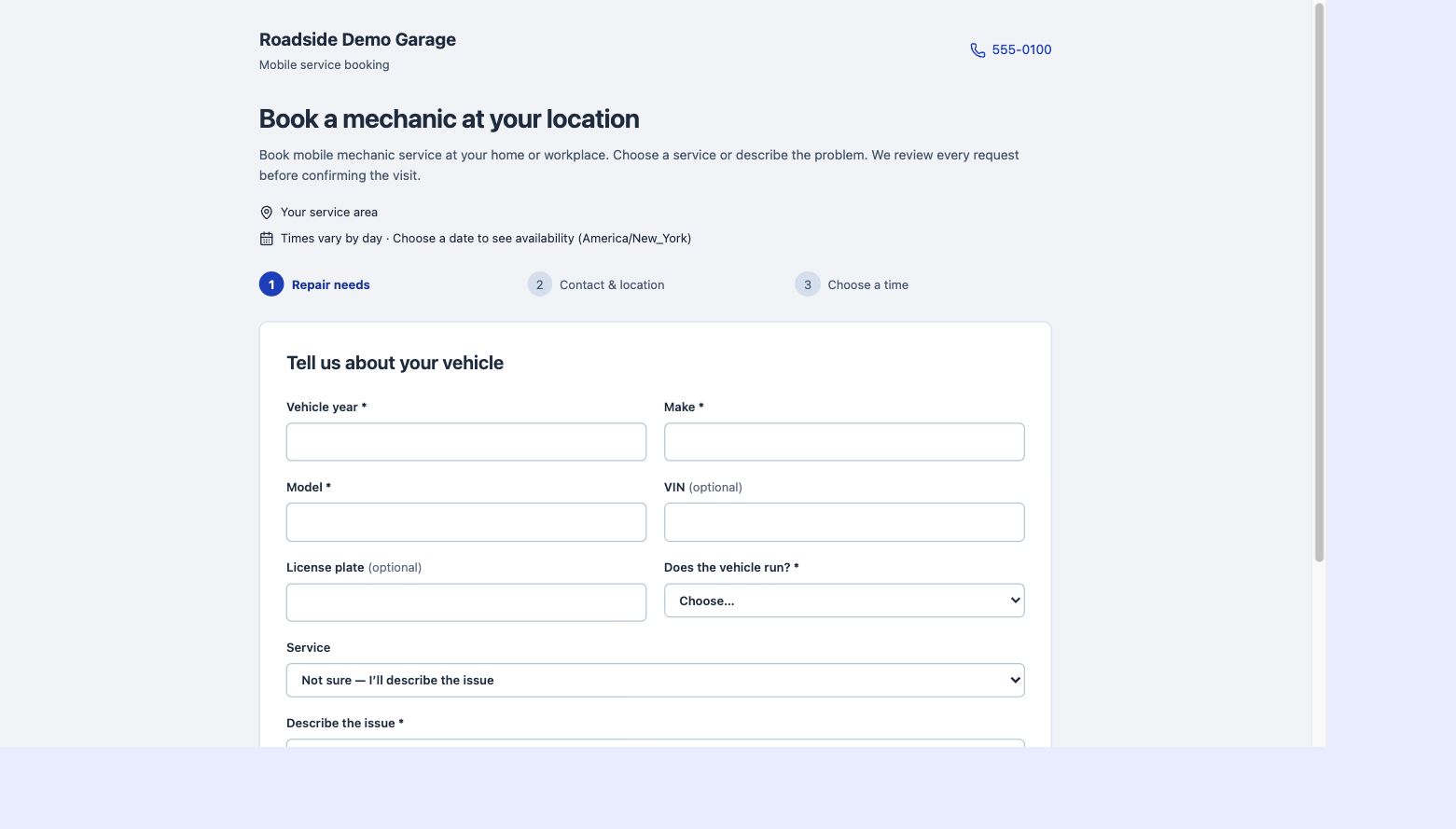
ATP Shop online booking workflow shown with example business data
Actual ATP Shop interface · Example business data

Offer the services you actually do

Use your labor guide as the starting point for the services customers can choose. Saved labor times help estimate the space a visit needs in your schedule. A text field lets customers describe other work or symptoms that are not on your list, so an incomplete service menu does not stop a useful request.

Set availability around a mobile workday

Configure different hours for different weekdays and use calendar date exceptions for unavailable days or special schedules. Choose the exact times you can accept requests. This gives customers relevant arrival choices while leaving you in charge of whether a visit is practical.

Approve requests before committing

A requested slot is subject to your review. Check the location, vehicle, concern and likely work time before confirming it. ATP Shop connects accepted bookings to the appointment workflow, so customer requests and your working schedule stay in the same system.

Get a head start on the estimate

Selections from your labor guide can start a draft estimate. Review the work, add parts and costs, and adjust the final quote before sending it to the customer. The public booking workflow collects the request without exposing a repair price you have not finalized.

HOW IT FITS YOUR WORKDAY

A connected process, step by step.

01

Publish your booking page

Set your services, hours and date exceptions, then share or embed the link.

02

Receive a detailed request

Collect contact information, the vehicle, service location and repair needs.

03

Review and prepare

Approve the visit in appointments and finish the draft estimate.

Questions about online booking

Does a booking automatically confirm a repair?

No. You review the request and ultimately approve the appointment.

Does the customer see a repair price?

The booking request does not show the unfinished estimate price. You build and send the final estimate.

PUT IT TO WORK

Your next job. Better organized.

One month free. No card required to start. Then $19.95/month or $191.52/year.

Start your free month