Take the job with you
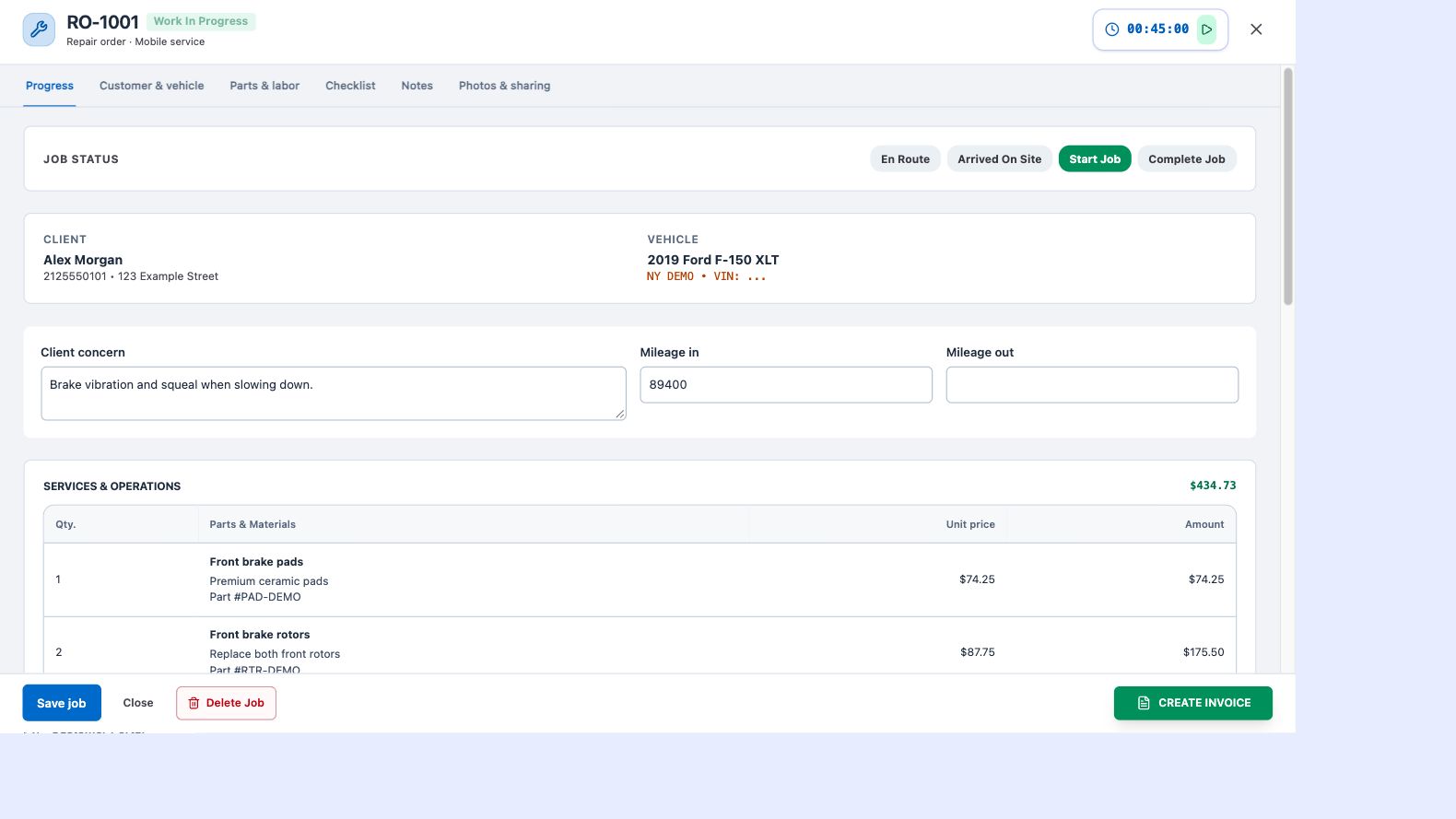
A mobile repair rarely happens at a service counter. ATP Shop’s browser workspace gives you the customer’s location and vehicle details alongside the work you are doing. Record the concern, mileage in and out, internal technician notes and a customer-facing summary without collecting the information in separate apps.
Update progress as the work moves
Use en route, arrived on site, start job and complete job actions to move through the visit. The job board provides status columns and controls for keeping orders organized. Use the board when you need an overview, and open the repair order when you need the details of a single vehicle.
Document the repair in the same screen
Track time, mark completion checklist items and upload job photos while the repair is open. Your internal notes and customer summary serve different purposes: keep technical details for your team, and explain completed work clearly for the customer.
Finish the work and follow through
Create or open the linked invoice from the repair order. Payment records and job completion help keep finished, paid work out of the active-job view. Share the customer’s finished-work page with photos and your review link so follow-up is part of the normal workflow.