Quote the actual job, not a generic service
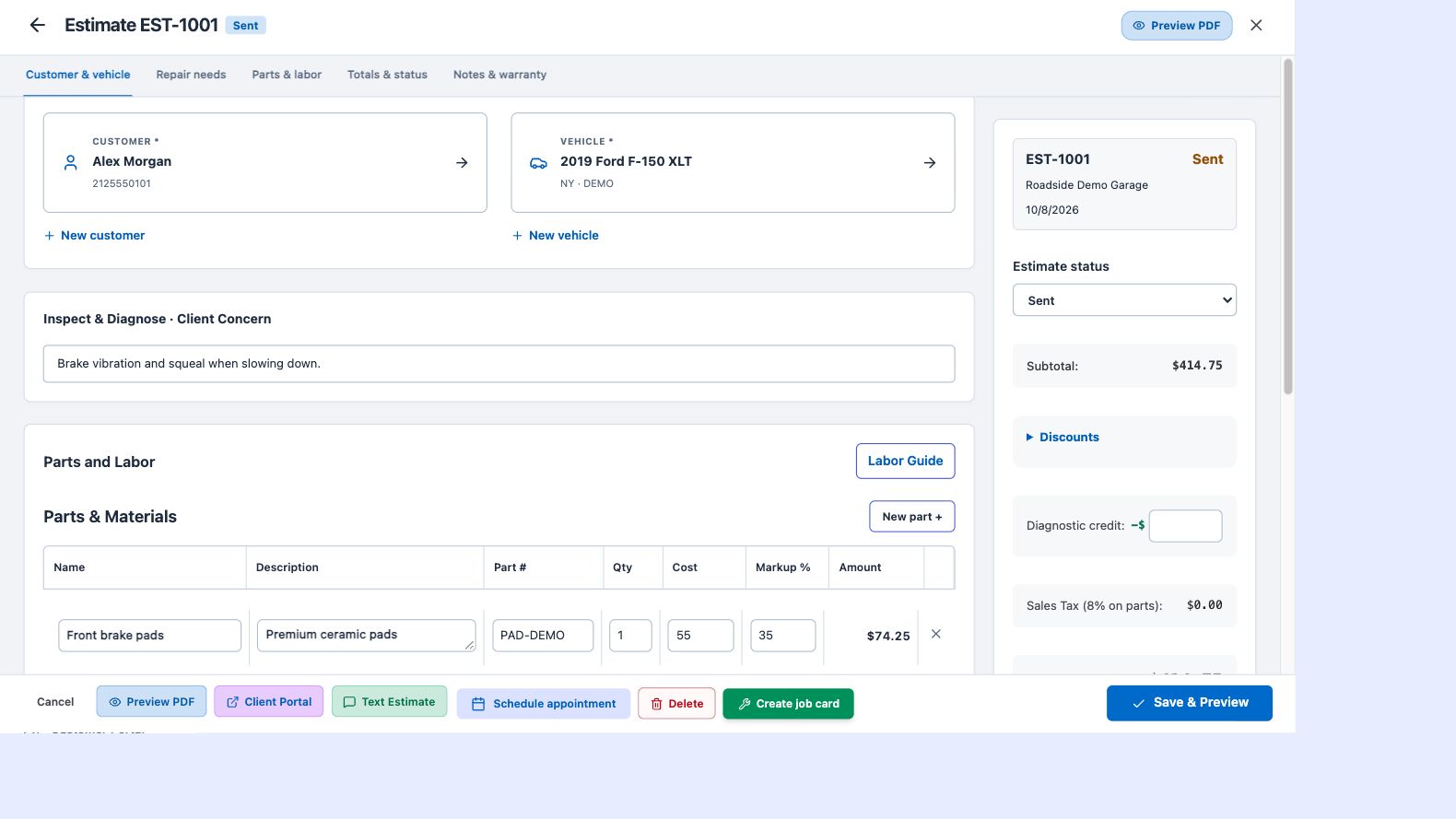
Start with the customer’s concern and the vehicle you will work on. Search customer and vehicle records instead of scrolling through a long dropdown. If this is a new customer, add their information as part of the estimate workflow. Parts and labor each have a title and description, so customers can understand both what you plan to do and why.
Reuse your labor knowledge
Select saved services from your labor guide, bring in estimated hours and use your shop rate as the starting point. Adjust hours and rates for the repair in front of you. Add part quantities, costs and markup, then review the total, discounts, diagnostic credit and applicable tax before sharing.
Give approval a professional presentation
Send the customer a private estimate link with a branded document and digital authorization workflow. Customers can review the proposed work and create a portal login from their shared document. Keep the agreed estimate connected to the repair order, rather than retyping the job when work begins.
Stay in control of the final price
An online booking can start an estimate from the services a customer selected. That draft is for you to finish: inspect the request, add the correct parts and refine the labor before presenting a price. Booking requests do not publish an unfinished repair price to the customer.